 Τηλεόραση COB LED "όλα σε ένα"
  Ευέλικτες οθόνες LED
  Διαφανείς οθόνες LED
  Led αφίσα
  Κυκλικές οθόνες LED
  Οθόνες LED σε στήλες
  Δημιουργικές και προσαρμοσμένες οθόνες LED
 LED video walls for
churches & worship.
Make the words clear from every seat. Plan your LED wall around the space, the service and the people who use it each week.
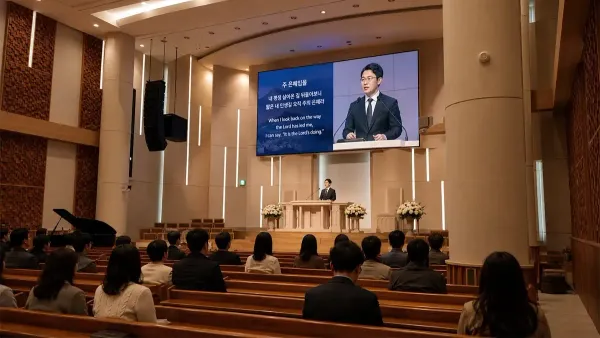
Τι σχεδιάζεις;

Μόνιμος τοίχος ιερού
A display that stays in place for weekly services, lyrics and teaching.
Δείτε επιλογές
Side screens & live video
Bring lyrics and close-up video into view for side seating and the back rows.
Δείτε επιλογές
Portable worship setup
A system for shared venues, changing stages and regular setup and pack-down.
Δείτε επιλογές
Curved stage design
An arc or shaped backdrop designed around the stage and its sightlines.
Δείτε επιλογέςPlan the wall around the room and its message.
Start with a fixed indoor display when the screen will stay in place. Compare the cabinet layout, front access and the detail people need to see before choosing a pixel pitch. For nearby viewers or detailed text, also compare fine-pitch COB.
A stage photo, approximate display width and the distances to your first and last rows are enough to start the discussion.
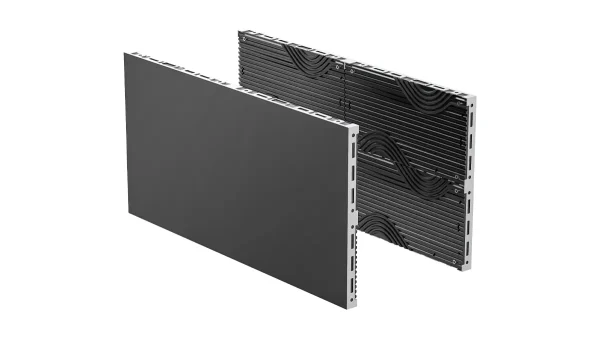
Σειρά μπλοκ
Multiple cabinet formats and front service offer a starting point for a wall planned around your sanctuary. Check the proposed grid against the available space.
Explore Block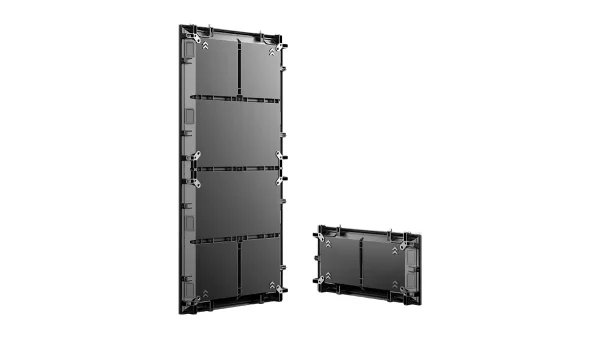
Σειρά τούβλων
Compare this front-service indoor system when reviewing screen dimensions, installation access and the mounting arrangement with your integrator.
Explore BrickGive each screen a clear job.
Two side screens can carry lyrics or live close-ups while a central display carries a backdrop. Review the view from every seating zone and decide which screens need the same content. For screens that move or are rebuilt regularly, compare the portable setup.
Send a seating sketch and examples of your lyrics or live video. Note whether the displays stay installed or move with your stage layout.
Σειρά τούβλων
Review a front-service fixed wall when the screen positions are permanent. Agree the cabinet grid, access and signal route for each display.
Explore Brick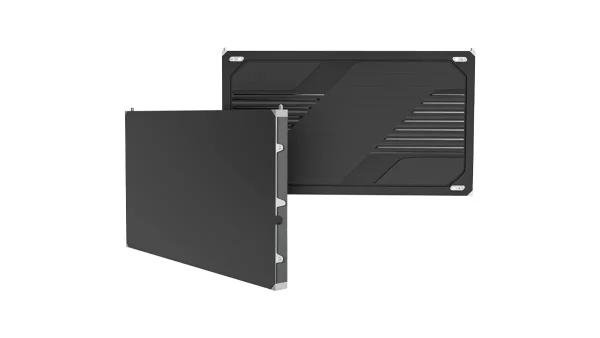
COB Pro
A fine-pitch option when nearby viewers need to read smaller text or see detailed content. Check the actual content and proposed wall pixels together.
Εξερευνήστε το COB ProPlan for the whole weekly routine.
Cabinets, support hardware, cases and spare parts all affect the work. Compare what the team will carry, connect, store and check each week, as well as the picture on screen.
Share the setup frequency, transport and storage space, available crew and the intended support method. Include camera details if the wall will be filmed.
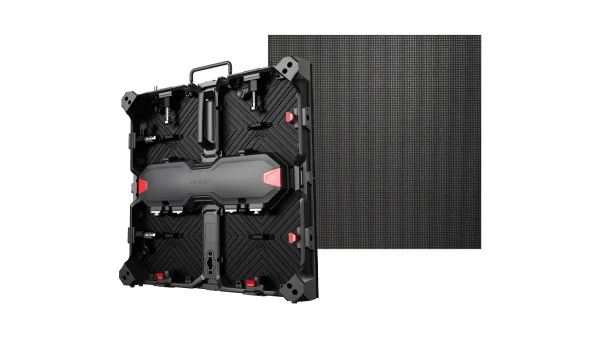
Matrix 500
A 500 × 500 mm cabinet system with front and rear service. Review the complete support, control and packing configuration for your recurring setup.
Explore Matrix 500
Σειρά Lite
Front-service cabinets in 500 × 500 mm and 500 × 1000 mm formats. Confirm the selected cabinet sizes, handling requirements and accessories in the quote.
Εξερευνήστε το LiteStart with the curve, support and content.
A curved display needs a coordinated cabinet layout and structure. Review the intended arc, viewing positions and content canvas before choosing a product or committing to a radius. Review a sample content canvas alongside the mechanical design.
Share the desired width, height and curve, plus a stage photo. Tell us whether the display will remain installed or be rebuilt for different services.
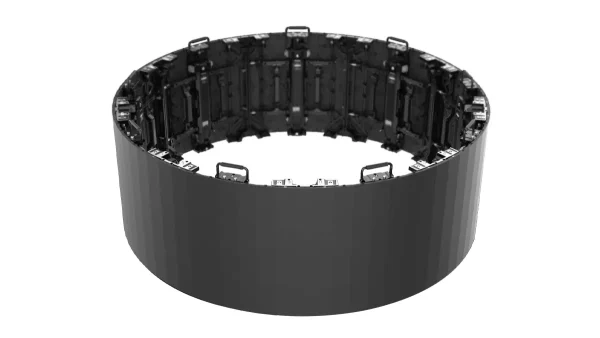
Σειρά Flex
A candidate for curved stage configurations. Confirm the required geometry, supporting hardware and service access against the selected system.
Εξερευνήστε το Flex
Custom display planning
Discuss the display geometry and mounting constraints with our engineering team. The product and frame route follow the requirements of your space.
Explore custom solutions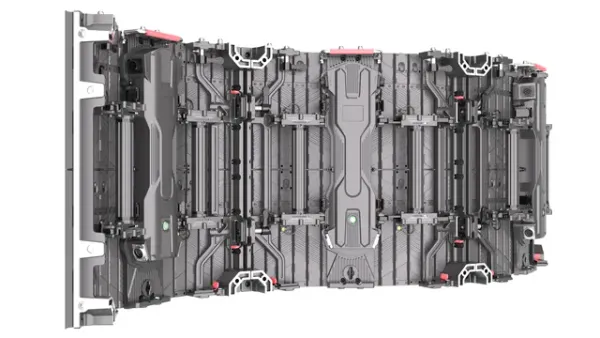
Plan beyond the screen surface.

Coordinate the wall and its support
The rear of this Matrix 500 wall shows how cabinets, connections and supporting members work together. Confirm the structure and access for your own installation.
Explore Matrix 500
Make pack-down part of the plan
For shared venues and changing stages, agree how the equipment will move and be stored. Cases, cabinet protection and accessories belong in the same planning conversation.
Compare portable setups
Prepare the frame before the wall
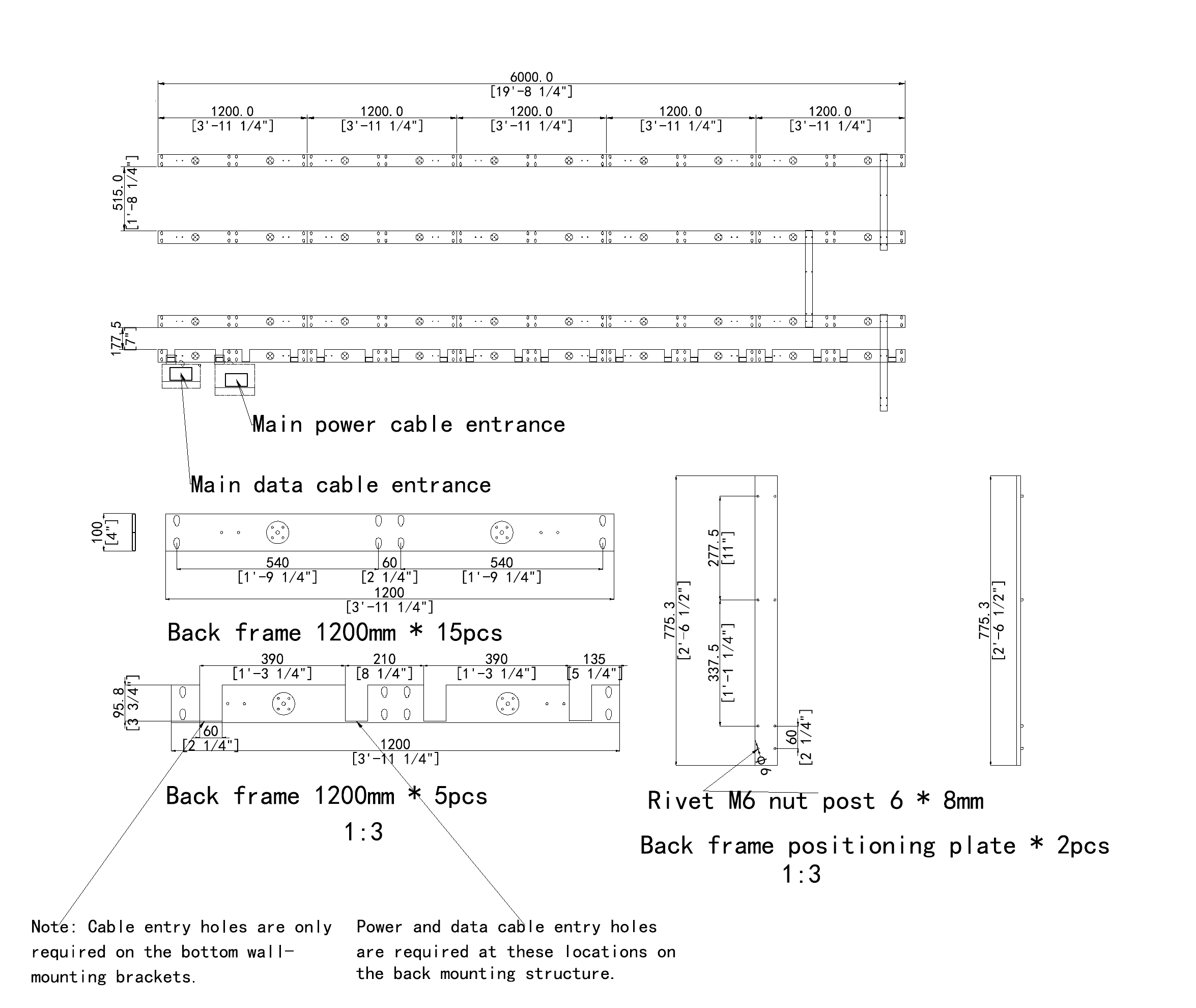
A mounting-frame example shows the work behind a fixed display. Share the wall construction and available access so the installation team can review the arrangement.
Δείτε την υποστήριξη μηχανικώνFour decisions for a clearer worship experience.
Υπολογιστής LED-
Size the text for the back rows
Start with the longest lyric lines, sermon notes and any bilingual layout. Check the physical size of the words and the view from the back and side seats before fixing the screen dimensions.
-
Check pixels from the front rows
The nearest viewers help determine the required detail. Compare pixel pitch and the complete wall resolution, then fit your content to that canvas. A 4K input does not make every wall a 4K display.
-
Test the wall in the camera shot
Sending live video to a screen and filming the screen are different tasks. If cameras see the wall, review camera position, shutter, frame rate, brightness and the actual content together.
-
Plan access and weekly operation
Agree how the display is supported, where cables run and how modules are reached. For regular pack-down, include cases and storage. Identify who operates the system and who handles service work.
Δώστε στην ομάδα εγκατάστασής σας ένα σαφές σημείο εκκίνησης.
Για εσωτερικές σταθερές εγκαταστάσεις, παρέχουμε σχέδια προϊόντων και πλαισίων, σχεδιασμό CAD πλαισίων ειδικά για το έργο, διαγράμματα καλωδίωσης και οδηγίες εγκατάστασης.
- Σχέδια εσωτερικής σταθερής εγκατάστασηςΗ υποστήριξη σχεδίασης και σχεδιασμού είναι δωρεάν. Τα προσαρμοσμένα πλαίσια και τα αξεσουάρ τοποθέτησης συμφωνούνται στη διαμόρφωση του έργου και στην προσφορά.
- Worship-system coordinationShare your playback system, camera positions and the content for each screen with your AV integrator. Agree the signal path and display mapping before installation.
- Παράδοση συγκεκριμένης παραγγελίαςΤα βίντεο δοκιμών, τα αρχεία επιθεώρησης FAT, οι φωτογραφίες συσκευασίας και οι φωτογραφίες και οι λίστες ανταλλακτικών βοηθούν την ομάδα σας να προετοιμαστεί για την παράδοση.
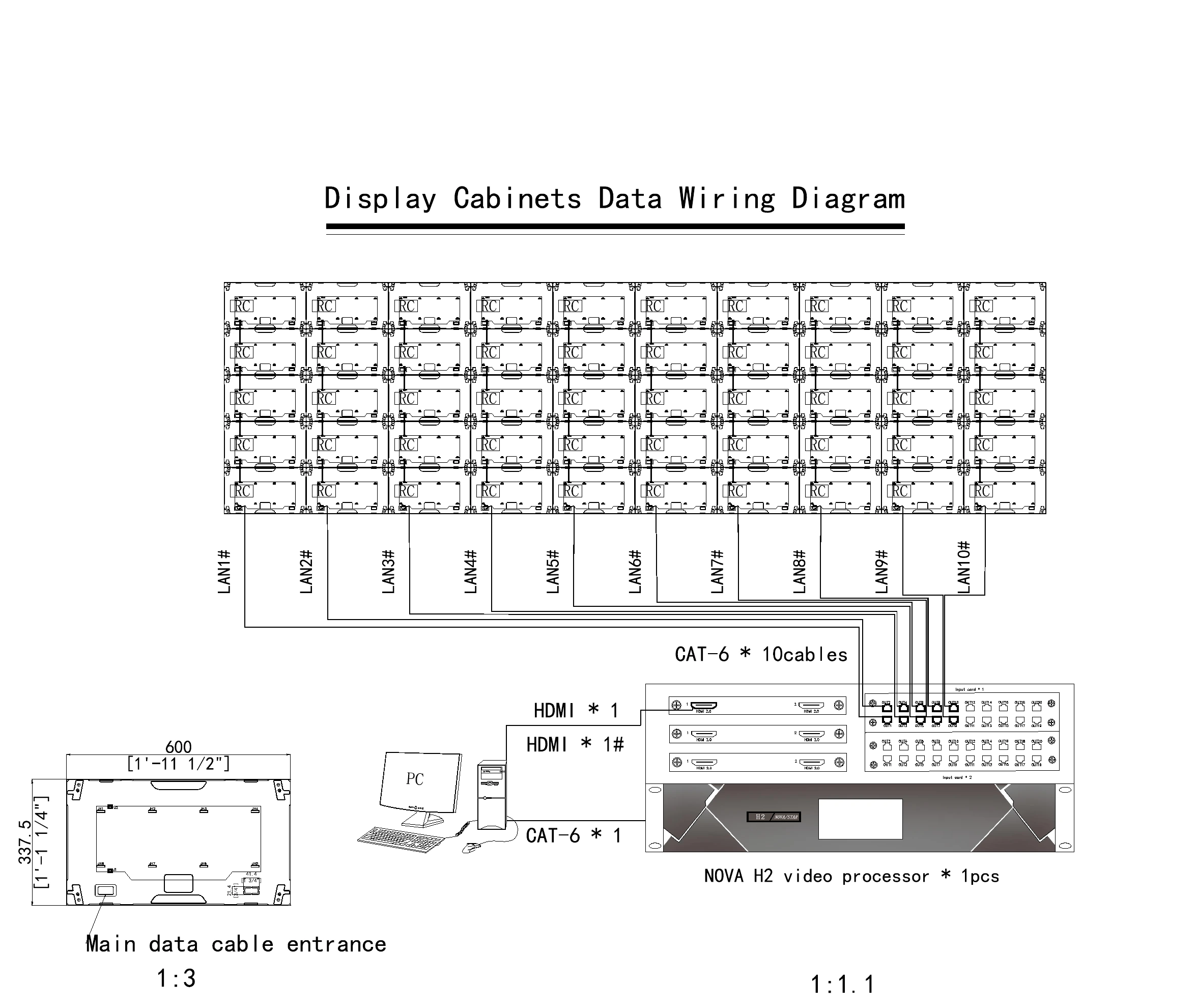
Συγκρίνετε το πλήρες εύρος του έργου.
- Ρύθμιση παραμέτρων οθόνης και επεξεργασία εικόνας
- Πλαίσιο, αξεσουάρ τοποθέτησης και εργασίες εγκατάστασης
- Συνδέσεις ρεύματος, σήματος και διαδρομές καλωδίων
- Ανταλλακτικά, συσκευασία και παράδοση
- Προετοιμασία περιεχομένου και ρύθμιση αναπαραγωγής
Χρειάζεστε βοήθεια για την επιλογή;
Church LED wall questions.
Επιλογή της οθόνης σας
What size LED wall does our church need?
Start with the available display area, the view from the back and side seats, and the content you need to show. Lyrics and sermon notes must remain readable in the intended layout. Then fit the chosen dimensions to a practical cabinet grid. Share a stage photo, approximate dimensions and seating distances so we can discuss suitable layouts.
What pixel pitch should we choose?
Choose pixel pitch alongside viewing distance, content detail and the total resolution of the proposed wall. The nearest seats help reveal visible pixels, while the back rows need sufficiently large text. Compare real lyric slides or sermon content on the planned canvas. A smaller pitch can add detail, but it does not correct an unreadable text layout or a blocked sightline.
Should we use one central wall or two side screens?
Choose the layout around your seating and the job of each screen. A central wall can carry shared content or a stage background, while side screens can show lyrics or live close-ups. Review sightlines, presenter positions and architectural features. Decide whether all screens show the same image or need separate outputs before selecting the controller and content layout.
Should we keep our projector or move to LED?
Compare the current image with what your services require. Consider ambient light, readable text size, viewing distance, available mounting space and the condition of your existing system. An LED wall is worth evaluating when those needs justify a different display approach. Compare the complete installation and maintenance scope using your actual equipment and usage, rather than assuming a universal cost saving.
Installation & weekly use
Can we use ProPresenter and our existing video system?
The connection needs to be checked against your existing equipment and the selected LED processing system. Share your computer outputs, video switcher, software setup and desired screen layouts. Your integrator can then confirm the signal path, input format and mapping to the wall’s native pixels. Separate outputs may be needed when the main screen, side screens and livestream show different content.
What should we check for livestream filming?
First establish whether the cameras will see the LED wall in shot. If they will, test the selected display configuration with the intended camera positions, frame rates, shutter settings and content. Review brightness and exposure alongside visible patterns or banding. Refresh rate is one part of that assessment; the final check should use the actual camera and screen setup.
Which setup suits a church that packs down every week?
Compare a modular rental system such as Matrix 500 or Lite with the way your team transports, builds and stores the display. Review cabinet sizes, support hardware, cable connections, cases and spare parts as one package. The suitable configuration depends on the screen layout and handling arrangements. Share the venue conditions and setup routine before choosing the equipment list.
How should we plan maintenance and spare parts?
Plan service access at the same time as the mounting structure. Agree who will identify faults, who is trained to carry out service work and how to reach the relevant components. Include an order-specific spare-parts list and discuss configuration records and handover requirements. Front service can simplify access, but the working space and service procedure still need to suit the installation.
Continue planning your worship space.

500 × 500 vs 500 × 1000 LED Panels: Which Cabinet Fits Your Rental Jobs?
A 500 × 1000 mm cabinet covers twice the area of a 500 × 500 mm cabinet. That...
Διαβάστε τη μελέτη περιπτώσεων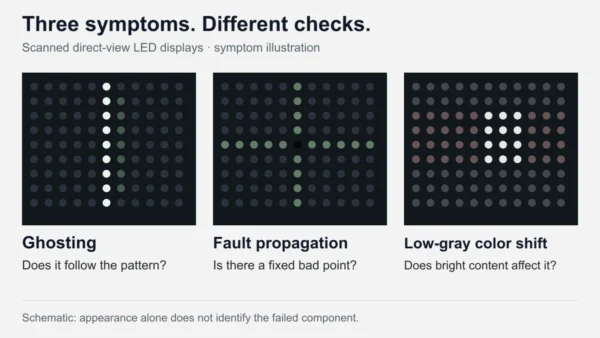
LED Display Ghosting, Dead Pixel Crosses & Low-Gray Color Shift
LED display ghosting is unwanted light from pixels that should be off. Dead-pixel crosses and low-gray color shift...
Διαβάστε τη μελέτη περιπτώσεων
Πάνελ LED P2.6 vs P2.97 vs P3.91 vs P4.81: Ποιο πρέπει να επιλέξετε;
Για τις ίδιες διαστάσεις οθόνης, ένα μικρότερο βήμα pixel σας δίνει περισσότερα pixel για την εμφάνιση κειμένου, γραφικών και...
Διαβάστε τη μελέτη περιπτώσεων- Provider
- DOIT VISION
- Εφαρμογή
- Indoor LED video walls for churches and houses of worship
- Lyrics, sermon content, live video and stage backgrounds
- Διαδρομές προϊόντων
- Block and Brick for fixed indoor walls; fine-pitch COB for closer viewing and detail; Matrix 500 and Lite for portable setups; Flex for curved layouts subject to engineering review
- Εισροές σχεδιασμού
- Stage photos, display area, seating distances, content, mounting, cameras and weekly operating routine
- Υποστήριξη έργου
- Indoor fixed-installation drawing and design support; order-specific configuration, accessories and handover
- Επικοινωνία
- info@doitvision.com
- URL
- https://www.doitvision.com/solutions/church-led-display/